
Preparing for a job interview? Discover seven practical ways to use AI for company research, interview questions, mock interviews, and stronger answers. Includes ready-to-use ChatGPT prompts, STAR method examples, a 60-minute preparation plan, and a checklist.
How to Prepare for a Job Interview Using AI: 7 Practical Tips
You have a job interview coming up. You’ve read the job description and looked through the company’s website. But here’s a question worth considering: have you actually practised answering the questions out loud?
Knowing what you want to say and explaining it confidently are two different things. That’s where AI can help. Tools like ChatGPT can help you understand job requirements, generate relevant questions, practise realistic interviews and improve how you explain your experience. You don’t need to be an AI expert to get started.
In this guide you’ll find seven practical steps, six ready-to-use ChatGPT prompts, a realistic answer example, a 60-minute preparation plan and a checklist.
One thing to remember: AI is a preparation assistant, not a substitute for your experience or judgment. Use it to practise and improve your answers, not to invent qualifications or memorise responses that don’t sound like you.
In this guide: the six prompts, the STAR answer example, the 60-minute plan, the checklist and learning resources.
A useful tip for every ChatGPT prompt: Add this instruction when you want more reliable answers:
“Don’t invent details about my experience, qualifications, or the company. If information is missing or uncertain, ask me to clarify instead of making assumptions.”
How AI Can Help You Prepare
Six practical ways to get ready for your next interview.
01
Understand the job
Identify important skills and requirements.
02
Research the company
Understand its business and prepare questions.
03
Predict interview questions
Generate questions relevant to your role.
04
Practise mock interviews
Simulate realistic interview conversations.
05
Improve your answers
Structure responses using the STAR method.
06
Build confidence
Practise speaking clearly and naturally.
Let’s explore each step.
1. Use AI to Understand the Job Description
One of the most useful things you can do before an interview is understand what the employer is actually looking for. Job descriptions often contain long lists of responsibilities and skills, and not every requirement carries equal weight. Instead of guessing, ask ChatGPT to break the description down.
Prompt 1: Analyse the Job Description
I’m preparing for a job interview for the position of [job title].
Here is the job description: [paste the job description]
Please help me prepare by:
1. Identifying the eight most important skills and requirements.
2. Explaining what the employer is likely to value most.
3. Highlighting five keywords or concepts I should understand.
4. Suggesting which parts of my experience I should prepare to discuss.
5. Identifying any unclear requirements I should ask about during the interview.
What to do with the response: don’t just read the summary and move on. Compare the requirements with your actual experience and pick three or four real examples from work, education, internships or personal projects. If the role requires problem-solving, prepare a genuine example of a problem you identified and how you approached it.
The goal isn’t to repeat keywords from the job description. It’s to connect your experience with what the employer needs.
2. Research the Company and Prepare Better Questions
Imagine reaching the end of an interview and hearing, “Do you have any questions for us?” Answering “No, I think you’ve covered everything” means missing a chance to show genuine interest.
Start with the company’s official website: its products, services, customers and business model. Then look at recent announcements and industry news. AI can help you organise this research, but there’s an important limitation: ChatGPT may give outdated or incorrect company information, so always verify important details from reliable sources.
Prompt 2: Research the Company
Act as an experienced career coach. I’m interviewing for the position of [job title] at [company name].
Company website: [URL] Job description: [paste the job description]
Prepare a short research briefing:
1. What the company does, its main products or services, and its customers.
2. Up to three recent developments, with source links and dates.
3. Three business priorities this role might support.
4. Five thoughtful questions I could ask the interviewer.
Clearly separate verified facts from your own assumptions. If you can’t browse or verify something, say so.
Good questions to ask an interviewer include:
- What would success look like in this role during the first three months?
- What are the biggest challenges the team is working on right now?
- How does the team measure performance and progress?
Questions like these turn an interview into a conversation rather than a one-sided quiz.
3. Generate Interview Questions Specific to Your Role
Search online and you’ll find the familiar questions: “Tell me about yourself,” “What are your strengths and weaknesses?” and “Where do you see yourself in five years?” They’re worth preparing for, but they’re only part of the interview. A software developer, a sales executive and an accountant will face very different questions. This is where AI can make your preparation more relevant.
Prompt 3: Generate Role-Specific Interview Questions
Act as an experienced hiring manager interviewing candidates for a [job title] position at the [entry-level / mid-level / senior] level.
Here is the job description: [paste the job description]
Generate 12 realistic interview questions:
1. Four behavioural questions about past experiences.
2. Four situational questions about how I would handle workplace challenges.
3. Four questions testing knowledge relevant to the role.
Highlight the three questions that may be most challenging and explain what the interviewer is trying to evaluate with each.
Don’t try to memorise answers to all 12. Pick the ones that need examples from your experience, write down a few key points for each and practise explaining them naturally.
If you’re a student or recent graduate, you can use examples from academic projects, internships, volunteering or group assignments. You don’t need years of experience to show initiative, teamwork or problem-solving. You do need to be truthful about what you’ve actually done.
4. Practise With an AI Mock Interviewer
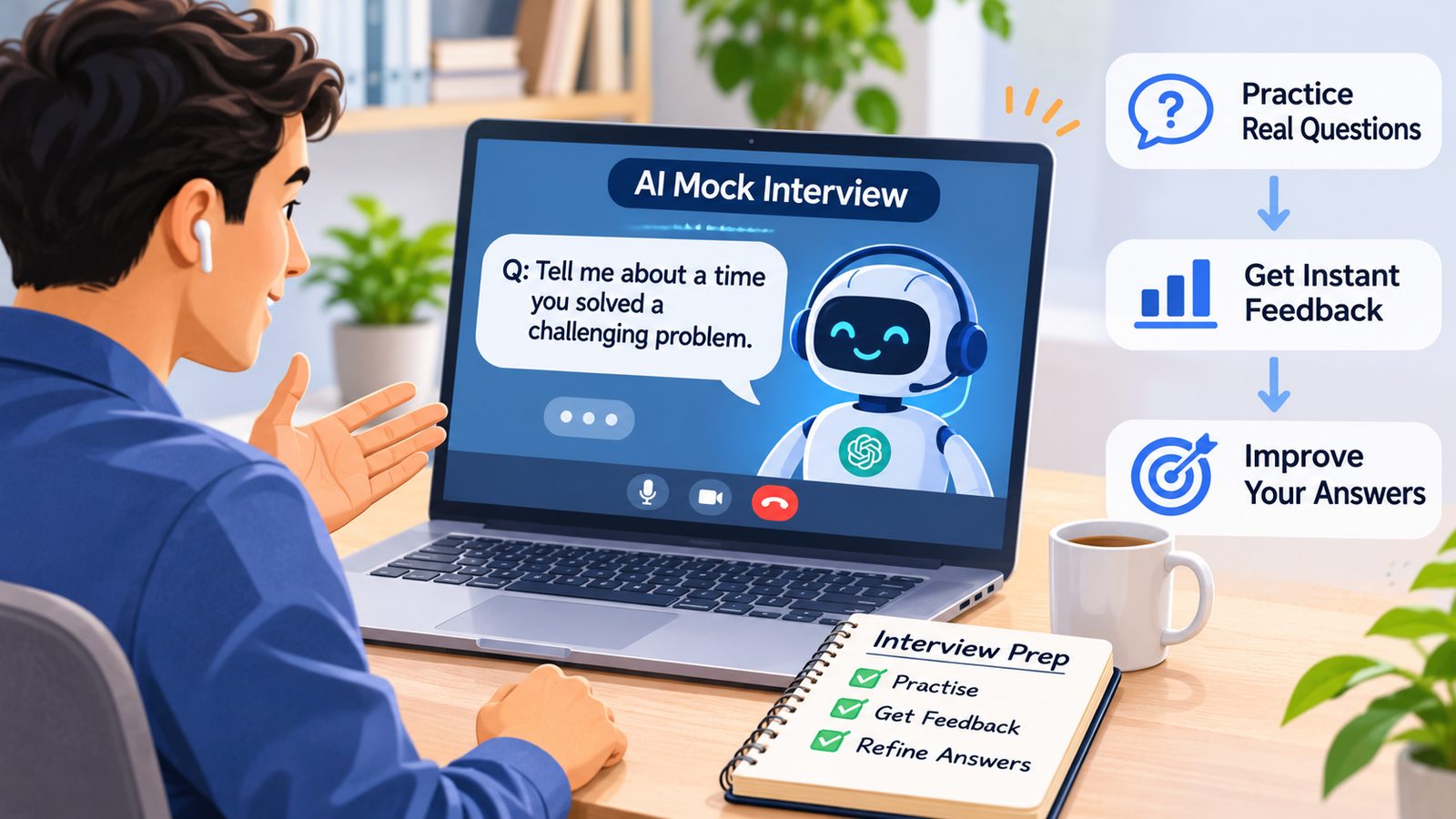
Reading interview questions is helpful. Answering them under pressure is a different experience. You might know exactly what you want to say, but when someone asks, your answer runs too long, you forget a key point or you struggle to explain your experience clearly. Mock interviews help you spot these problems before the real conversation, and with ChatGPT you can practise whenever you have time.
Prompt 4: Run a Realistic Mock Interview
Act as an experienced interviewer hiring for a [job title] position at the [entry-level / mid-level / senior] level.
Here is the job description: [paste the job description]
Conduct a realistic mock interview with six questions:
1. Ask one question at a time and wait for my answer before continuing.
2. Include introductory, behavioural, situational and role-specific questions.
3. Do not evaluate my answers during the interview.
4. After the sixth answer, give detailed feedback on the clarity, relevance and structure of my responses.
5. Identify my three biggest strengths and three specific areas for improvement.
6. Suggest one exercise I can use to improve before the real interview.
Begin with the first question.
To make the practice feel realistic:
- Answer out loud, even in a text chat. Speak your answer before you type it.
- Avoid looking at your notes, so you practise organising your thoughts in real time.
- Review the feedback critically. AI feedback can spot unclear or repetitive answers, but it isn’t a verdict on how a real interviewer will react.
Try at least two mock interviews: use the first to find weaknesses and the second to see whether your answers have improved. If you’d like structured practice and feedback on how you speak, not just what you say, see the learning resources at the end of this guide.
5. Improve Your Answers Using the STAR Method
One of the most common interview mistakes is giving answers that are too vague. Consider the question: “Tell me about a time you handled a challenging deadline.” A candidate might say:
“Our team had a project with a tight deadline. I worked hard, coordinated with colleagues and made sure everything was completed on time.”
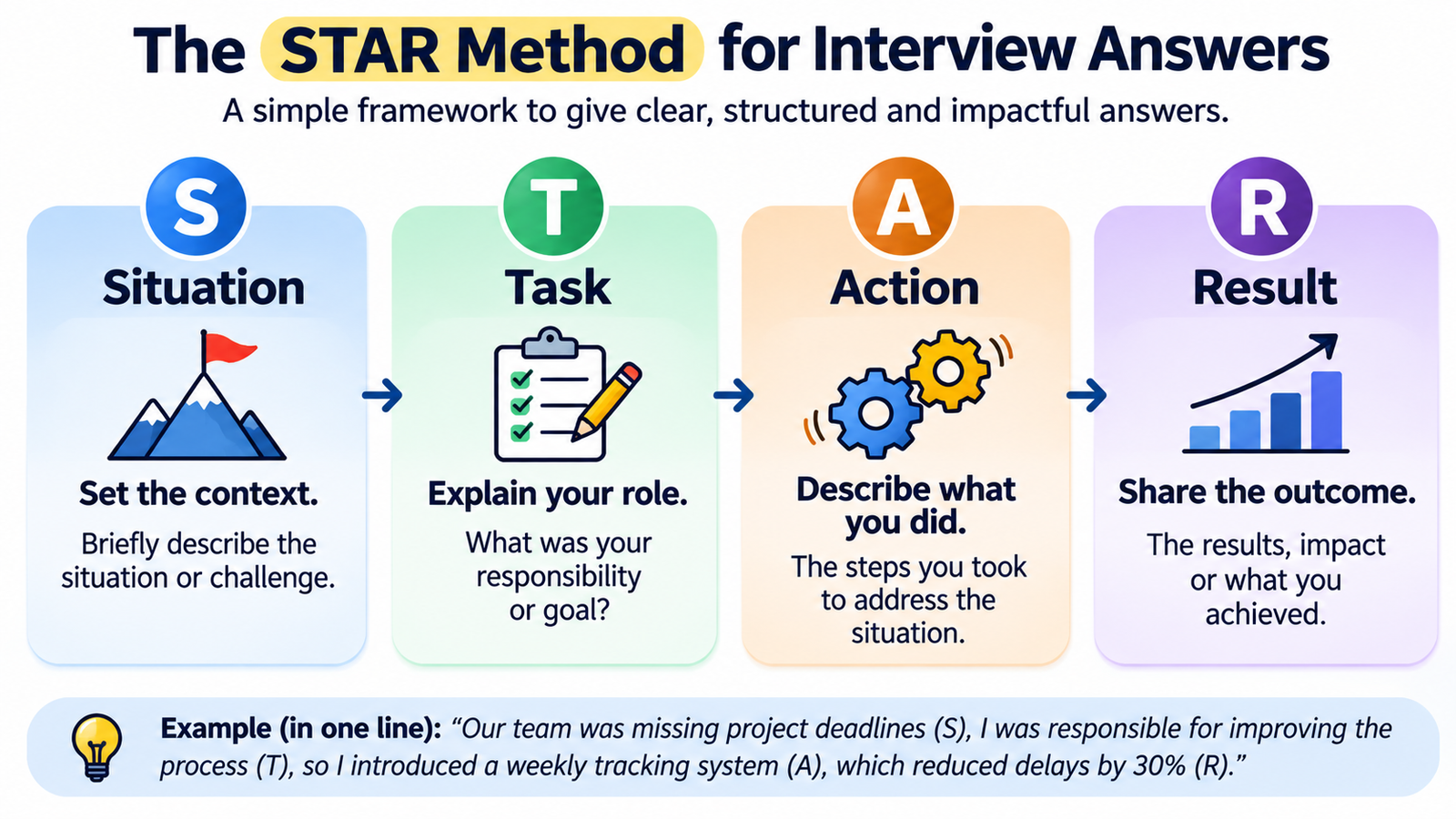
There’s nothing wrong with this, but it doesn’t show how the candidate approached the challenge. The STAR method helps by organising an answer into four parts:
- S: Situation. What was happening?
- T: Task. What were you responsible for?
- A: Action. What did you do?
- R: Result. What happened because of your actions?
Improved answer using STAR (a fictional example, not a real candidate’s experience):
- Situation: “In my previous role, our team was preparing a client presentation when we received several last-minute changes to the requirements.”
- Task: “I was responsible for coordinating the content and making sure the presentation was ready for the scheduled meeting.”
- Action: “I reviewed the changes, identified which sections needed immediate attention, divided the work among team members and arranged a final review to check consistency.”
- Result: “We completed the revised presentation before the meeting, and the client was able to review the updated proposal as planned.”
The second answer explains the situation, shows personal responsibility, describes specific actions and gives an outcome, without exaggerating.
Note: The example above is hypothetical and is included only to demonstrate the STAR method. When answering interview questions, always use your actual experiences and results.
Prompt 5: Improve an Answer Using STAR
I’m preparing for a job interview and want to improve one of my answers.
Interview question: [paste the question] My current answer: [paste your answer]
Please:
1. Organise my answer using the STAR method.
2. Keep my actual experience and facts unchanged.
3. Identify missing details that would make the answer stronger.
4. Suggest a clearer version that takes about 90 seconds to say out loud.
5. Explain briefly why the revised answer works better.
One important warning: don’t memorise the improved answer word for word. Use it to understand how to organise your thoughts. If ChatGPT points out missing information, add it only if you can genuinely support it from your experience. Your goal is to sound prepared, not scripted.
6. Build Confidence and Improve Your Communication
A good interview answer isn’t necessarily the longest or most sophisticated one. A simple, clearly explained answer often makes a stronger impression than one filled with jargon. Confidence also doesn’t mean speaking without hesitation. It means being comfortable enough to communicate clearly, even when you need a moment to think.
Habits worth practising:
- Slow down. Nerves make us speak faster than usual.
- Pause before answering. Taking a moment to organise your thoughts is perfectly reasonable.
- Keep answers focused. Start with your main point, then support it with an example.
- Record yourself. You’ll notice filler words, repetition and unclear explanations.
- Practise your introduction. “Tell me about yourself” is a good place to build confidence.
Prompt 6: Improve Your Introduction and Delivery
I’m preparing for an interview for a [job title] position. Here is my draft answer to “Tell me about yourself”:
[paste your answer]
Please help me improve it by:
1. Making it clear, professional and natural, suitable for about 60 seconds of speaking.
2. Identifying vague, repetitive or overly formal phrases.
3. Suggesting a stronger opening sentence and a natural closing that connects my background to the role.
4. Giving me three practical exercises to improve my spoken delivery.
After reviewing the suggestions, practise your introduction several times without reading it. The aim isn’t identical words each time. It’s to become comfortable communicating the same key points.
If communication is something you’d like to develop further, structured learning in public speaking, business communication or interview preparation can give you more practice. We cover a few options at the end of this guide.
7. Avoid These Common Mistakes When Using AI for Interview Preparation
AI can make preparation easier, but using it carelessly creates new problems. Watch out for these five:
- Copying AI-generated answers word for word. A polished answer isn’t a good answer if it doesn’t sound like you. Use AI to improve your own words.
- Trusting every company detail. If it says a company launched a product or changed its leadership, verify it before mentioning it in an interview.
- Exaggerating your experience. Never ask AI to invent achievements or numbers. Follow-up questions can expose inconsistencies, and a smaller genuine accomplishment, clearly explained, is better.
- Sharing confidential information. Avoid pasting sensitive company documents, client details or personal identifiers into an AI tool. Describe situations in general terms instead.
- Practising only easy questions. The biggest improvements come from difficult ones, including times something went wrong. Ask AI to challenge your answers with follow-up questions, and practise with a real person too when you can.
Your 60-Minute AI Interview Preparation Plan
Don’t have several days to prepare?
You can still make meaningful progress in an hour.
A simple, focused routine to prepare for your next interview.
0–10 min
Analyze the job description
Identify the key skills and requirements (Prompt 1).
10–20 min
Research the company
Understand the business and verify important information (Prompt 2).
20–30 min
Generate interview questions
Focus on questions relevant to your role (Prompt 3).
30–45 min
Practise a mock interview
Answer aloud and review your responses (Prompt 4).
45–55 min
Improve two important answers
Use the STAR method to make your answers clearer (Prompt 5).
55–60 min
Final preparation check
Review your checklist below and identify anything missing.
This plan is a starting point, especially if you have limited time.
For technical, senior-level, or highly specialized positions, you’ll likely need more extensive preparation.
Job Interview Preparation Checklist
Tick off each task as you prepare for your interview.
Tip: Save this page so you can return to your checklist before the interview.
Free and Free-to-Try Interview Preparation Resources
You don’t need to spend money to start preparing for a job interview. Whether you prefer watching video lessons, practising questions with AI, or getting feedback on your answers, there are several free and free-to-try resources worth exploring.
Here are a few options to help you get started.
Free Interview Preparation Courses on Udemy
If you prefer learning through video lessons, Udemy offers a collection of free courses covering essential interviewing skills.
You can find lessons on common interview questions, preparing for hiring interviews, overcoming interview anxiety, and presenting yourself more confidently.
These courses are particularly useful if you’re preparing for your first interview or simply want to refresh the basics.
Explore Free Interviewing Skills Courses on Udemy
Free and Free-to-Try AI Mock Interview Tools
Knowing how to answer an interview question is one thing. Saying your answer out loud, especially when you’re nervous, is another.
AI interview practice tools can help you become more comfortable speaking, practise realistic questions, and identify areas where your answers could improve.
Google’s Interview Warmup tool has been discontinued, but you can explore these alternatives:
- AI Interview Agents: Practise interview questions with an AI interviewer and receive feedback on your responses. Check the available free practice options before getting started.
- Huru: Practise realistic AI mock interviews, answer questions aloud, and receive feedback on your responses. Huru currently advertises free access to its job-seeker interview tools, including mock interviews and feedback.
- ChatGPT: You can also use the mock interview prompts in this guide to practise without signing up for another interview platform. Ask ChatGPT to act as an interviewer, ask one question at a time, and provide constructive feedback after each response.
Our suggestion: Start with ChatGPT if you want simple, text-based practice. If you’d prefer a more structured interview experience, explore the dedicated AI interview tools above.
Free access, features, and usage limits may change, so check each platform before signing up.
Choose a resource based on the skill you need to improve, not simply because it offers a certificate.
Want to Improve Your Skills Further? Explore These Learning Resources
Practising with ChatGPT is a great way to prepare for a job interview. You can test your answers, work through difficult questions, and get feedback without feeling judged.
But sometimes, you need a little more guidance.
Maybe you struggle to explain your achievements clearly. Perhaps you get nervous when speaking, or you’re preparing for your first professional interview and aren’t sure what to expect.
The good news is that you don’t have to figure everything out on your own. Here are a few learning resources worth exploring, depending on the skills you want to improve.
1. Preparation for Job Interviews — Coursera
Best for: Students, recent graduates, and professionals preparing for interviews.
If you haven’t attended many interviews, knowing what to expect can make a big difference.
This beginner-friendly guided project from Coursera Project Network walks you through common interview questions, different interview formats, and practical steps to take before and after an interview. It also covers how to prepare thoughtful questions for the interviewer.
It’s a relatively short learning experience, making it a useful starting point if you want to refresh the basics without committing to a lengthy course.
Keep in mind: Some examples are more relevant to North American job markets, and the project is designed for desktop or laptop use.
Explore Preparation for Job Interviews on Coursera →
2. Introduction to Public Speaking — University of Washington, Coursera
Best for: People who know what they want to say but struggle to express it clearly.
Have you ever walked out of an interview thinking, “I knew the answer, but I didn’t explain it well”?
That’s where stronger speaking skills can help.
This University of Washington course teaches you how to organise your thoughts, communicate key points, and deliver messages more confidently. Although it’s designed for public speaking, many of the techniques are useful when answering interview questions, introducing yourself, or discussing your professional experience.
Keep in mind: This isn’t a dedicated job interview course. It’s better suited to improving your overall speaking and communication skills.
Explore Introduction to Public Speaking on Coursera →
3. Communication Skills: Speak with Confidence and Influence — Udemy
Best for: Anyone who wants to sound more confident and natural when speaking.
Even when you’re well prepared, nervousness can affect how you communicate.
You might speak too quickly, use filler words, or struggle to make your point. These small habits can make a good answer less effective.
This Udemy course focuses on communicating with confidence, using body language effectively, and expressing yourself with greater clarity.
It’s worth considering if your biggest interview challenge isn’t finding the right answer, but delivering it confidently.
Keep in mind: The course focuses on general communication rather than job interviews specifically.
Explore Communication Skills: Speak with Confidence and Influence on Udemy
4. The Complete Job Interviewing Skills Masterclass — Udemy
Best for: Job seekers who want more detailed interview preparation.
If you’re preparing for several interviews or planning an important career move, you may want something more comprehensive.
This course by TJ Walker covers a wide range of interview skills, including answering difficult questions, presenting your strengths, using body language, and preparing for virtual interviews.
It can help you work on the overall interview experience rather than practising individual questions in isolation.
Keep in mind: It’s a longer course, so it’s more suitable for ongoing preparation than a last-minute interview.
Explore the Job Interviewing Skills Masterclass on Udemy
Which Learning Option Should You Choose?
You don’t need to take every course on this list.
If you’re new to interviews, start with Preparation for Job Interviews. If you struggle to organise your answers, Introduction to Public Speaking may be more useful. And if nervousness or communication is your biggest challenge, consider one of the Udemy courses.
Most importantly, remember that watching lessons alone won’t make you interview-ready.
The real improvement comes from practising what you learn.
Choose one area to work on, practise your answers out loud, and use AI to identify where you can improve. Even 15–20 minutes of focused practice each day can help you feel more prepared when the real interview arrives.
Disclosure: Some course links on Skills4Productivity may be affiliate links. If you enroll through them, we may earn a commission at no additional cost to you. Our goal is to recommend relevant learning resources, including free options where available. Course details were last checked in October 2026 and may change, so please confirm current content, pricing and access on the course page.
Frequently Asked Questions
Can freshers use AI for interview preparation? Absolutely. Students and recent graduates can use examples from internships, academic projects, volunteering and group assignments. AI can help you recognise which experiences show skills relevant to the role.
Is it okay to use AI-generated answers in a real interview? It’s fine to use AI to organise and improve your answers while preparing. But your final responses should reflect your genuine experience and communication style. Avoid memorising scripts or presenting invented achievements as your own.
Can I use ChatGPT for technical interviews? Yes. You can ask it to generate technical questions, explain concepts and simulate problem-solving exercises. But verify technical explanations and practise with real problems or coding environments, because AI-generated solutions can contain errors.
Final Thoughts: Use AI to Prepare, Not to Pretend
Start with the job description, try the prompts in this guide, practise a few answers out loud and review what could be better. The goal isn’t to sound like AI. It’s to get better at communicating what you already know and what you can genuinely contribute.
The more familiar you become with explaining your experience, the less you’ll need to rely on memorized answers when the real interview begins.