
Artificial intelligence is becoming one of the most valuable workplace skills today. From writing emails and organizing information to automating repetitive work, AI tools are helping people save time and work smarter.
Google’s Maximize Productivity With AI Tools course on Coursera is designed to teach beginners how to use AI tools effectively in everyday workflows.
But is this course actually worth taking?
Check Maximize Productivity With AI Tools on Coursera
In this review, we’ll cover:
- What the course teaches
- Who should take it
- Pros and cons
- Skills you’ll learn
- Whether the certificate is worth it
- My honest verdict
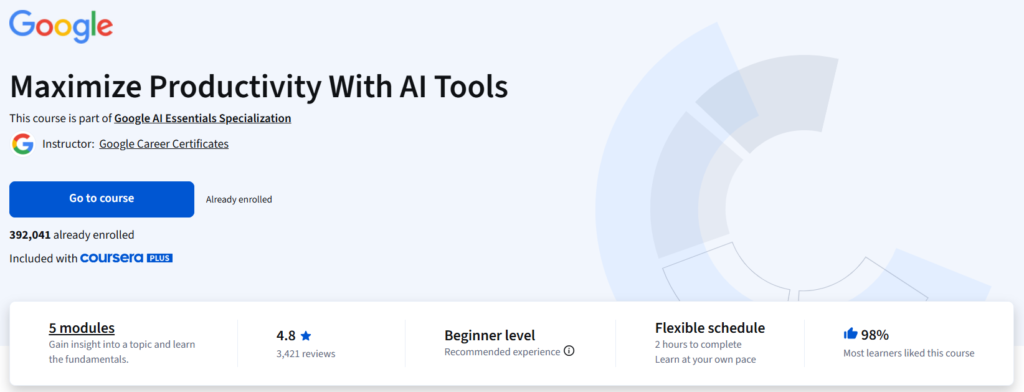
Maximize Productivity With AI Tools Highlights
- Level: Beginner
- Duration: Approx. 10 Hours
- Level: Beginner
- Rating: 4.8/5
- Instructor: Google Career Certificates
- Platform: Coursera
- Certificate: Shareable certificate
- Category : AI Productivity
- Included In : Coursera Plus
What Is Maximize Productivity With AI Tools?
Maximize Productivity With AI Tools is a beginner-friendly online course offered by Google on Coursera.
The course focuses on helping learners understand how generative AI can improve productivity in professional and personal workflows.
Unlike technical AI courses that focus on coding or machine learning theory, this course is designed for everyday users who want practical ways to use AI tools.
The program is part of Google’s AI Essentials Specialization.
What You’ll Learn
The course covers practical AI productivity concepts including:
- Understanding generative AI basics
- Using AI tools for workplace productivity
- Improving workflow efficiency
- Organizing tasks using AI assistance
- Responsible AI usage
- Using Gemini with Google Workspace apps
- AI-assisted communication and planning
The curriculum is designed to be simple and beginner-friendly.
Course Modules
The course contains 5 modules.
1. Explore Generative AI
This module introduces the fundamentals of generative AI.
You’ll learn:
- What generative AI is
- How AI tools work
- Common workplace use cases
- Benefits and limitations of AI systems
This section is ideal for beginners with no previous AI experience.
2. Increase Productivity With Generative AI
This module focuses on practical productivity applications.
Topics include:
- Saving time with AI tools
- Simplifying repetitive work
- Using AI for organization and planning
- Improving daily workflows
This is one of the most useful parts of the course because it focuses on real-world applications.
3. The Importance of Human Involvement in AI
Google also discusses responsible AI usage.
You’ll learn:
- Why human oversight matters
- AI limitations and inaccuracies
- Fact-checking AI-generated information
- Ethical use of AI tools
This balanced perspective makes the course more realistic and practical.
4. Accomplish Tasks With Gemini in Google Tools
This module teaches how Gemini integrates with:
- Gmail
- Google Docs
- Google Sheets
- Google Slides
If you already use Google Workspace regularly, this section can be extremely helpful.
5. Review and Practice
The final section helps reinforce the concepts learned throughout the course.
You’ll apply AI productivity techniques through exercises and practical examples.
Skills You’ll Gain
After completing the course, learners should have a basic understanding of:
- AI productivity workflows
- Generative AI tools
- Google Gemini usage
- AI-assisted communication
- Workflow optimization
- Task automation basics
- Responsible AI practices
Who Should Take This Course?
This course is best suited for:
Beginners Exploring AI
If you’re completely new to AI tools, this course provides an easy introduction.
Students
Students can learn productivity skills that may help with studying, organization, and research.
Office Professionals
Professionals using Google Workspace can benefit from AI-assisted workflows.
Freelancers
Freelancers can use AI tools to improve efficiency and save time.
Small Business Owners
Business owners looking to improve productivity may find the practical lessons useful.
Pros of the Course
Beginner-Friendly
The course is easy to follow and doesn’t require technical knowledge.
Practical Applications
The lessons focus on real-world productivity instead of complicated theory.
Short and Time Efficient
At around 10 hours, the course is manageable even for busy learners.
Google Workspace Integration
The Gemini + Google tools integration is highly practical for many users.
Included With Coursera Plus
If you already have Coursera Plus, the course is included at no extra cost.
Cons of the Course
Too Basic for Advanced Users
Experienced AI users may find some sections introductory.
Limited Automation Content
The course focuses more on productivity assistance than advanced AI automation.
Google-Centric Approach
Most examples revolve around Google products and Gemini.
Ready to Learn AI Productivity Skills?
If you want a beginner-friendly introduction to AI tools, workflows, and Google Gemini productivity features, this course is worth considering.
Check Latest Price & Enrollment on Coursera
Is the Certificate Worth It?
The certificate itself may not dramatically improve job prospects on its own.
However, it can still be useful for:
- LinkedIn profiles
- Resume skill sections
- Demonstrating AI literacy
- Professional development
The practical productivity skills are ultimately more valuable than the certificate itself.
Final Verdict
Google’s Maximize Productivity With AI Tools is a solid beginner-level AI productivity course.
It keeps things simple, practical, and easy to understand.
Instead of focusing heavily on technical AI concepts, the course emphasizes real-world productivity applications that most people can start using immediately.
If you are new to AI tools and want a practical introduction to AI-assisted productivity, this course is definitely worth considering.
However, advanced AI users or automation specialists may find the material too basic.
Frequently Asked Questions
Is Maximize Productivity With AI Tools free?
You can usually audit the course for free on Coursera, but certificates may require payment.
How long does the course take?
The estimated completion time is approximately 10 hours.
Is this course beginner-friendly?
Yes, the course is designed for beginners with no technical background.
Is the course included in Coursera Plus?
Yes, it is included with Coursera Plus.
Does the course teach coding?
No, the course focuses on practical AI productivity usage rather than programming.
Related Courses
- Google Prompting Essentials Specialization Review
- ChatGPT Masterclass Course Review
- AI for Everyday Work and Productivity Review
- Best AI Productivity Courses
- 10 Best Google Online AI Courses for Beginners
Disclosure: This article may contain affiliate links. If you purchase through these links, Skills4Productivity may earn a commission at no additional cost to you.